
Multi-Timeframe Divergence Confirmation
MGH-MagicTrigger
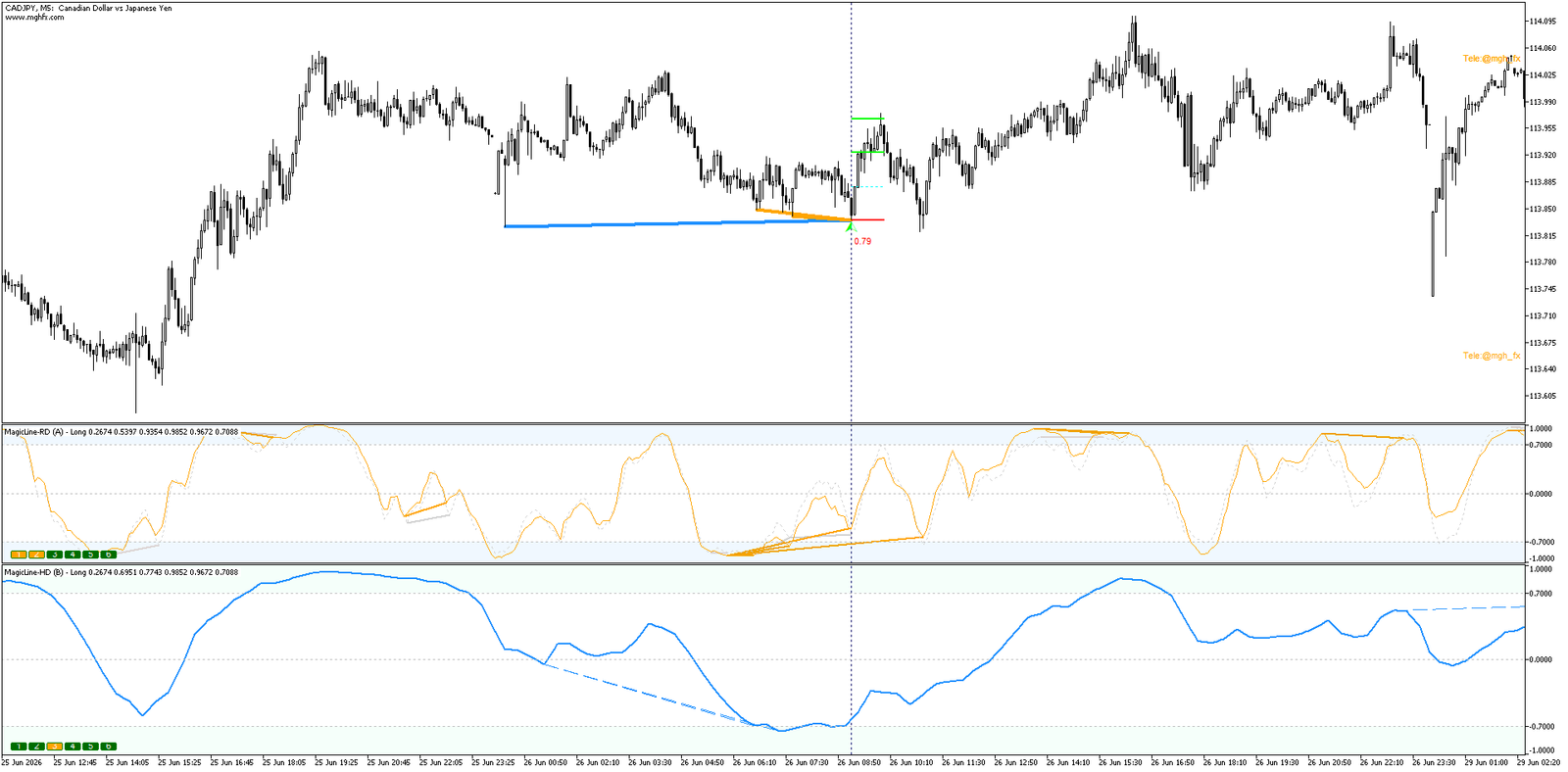
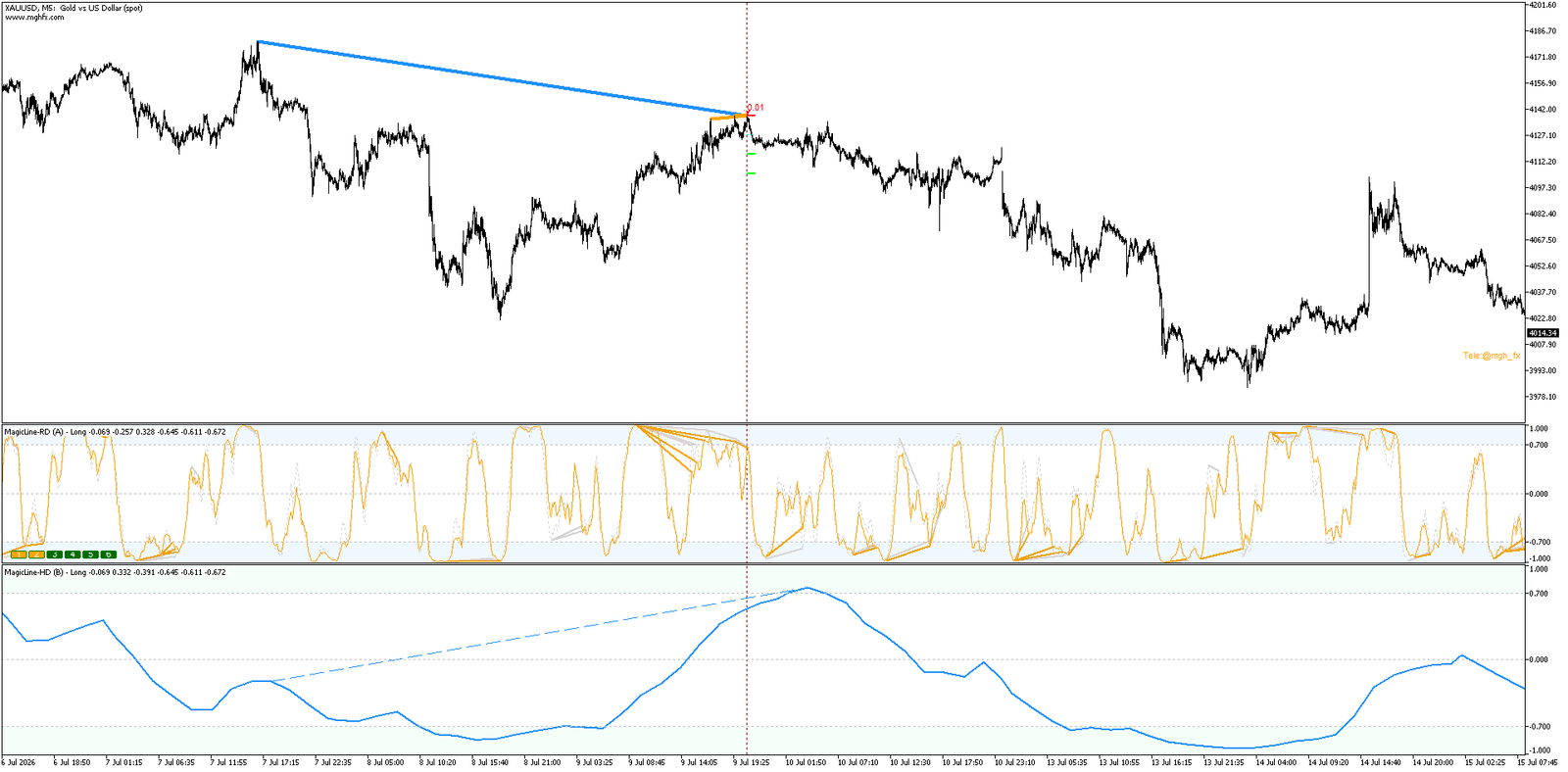
The one question every divergence trader asks — “is this signal actually strong, or am I about to catch a knife?” — finally has a systematic answer. MagicTrigger scans a full chain of timeframes, waits for a higher-timeframe divergence to be independently confirmed by the lower timeframes underneath it, and only then marks a signal — complete with entry trigger, stop loss, two targets, and a ready-to-use position size.
Most divergence indicators show you every divergence they can find on a single timeframe — and leave you to guess which ones actually matter. Some are noise. Some are the early stage of a real reversal. On a single timeframe, there is no way to tell them apart until it’s too late.
MGH-MagicTrigger was built to remove that guesswork. Instead of looking at one timeframe in isolation, it builds an automatic chain of timeframes above and below your chart’s current period, finds a structural divergence on the higher timeframe, and then checks — bar by bar, zone by zone — whether the same directional divergence is echoed on the timeframes underneath it. Only when enough of them agree does a signal appear.
The Core Idea: HD Confirmed by RD
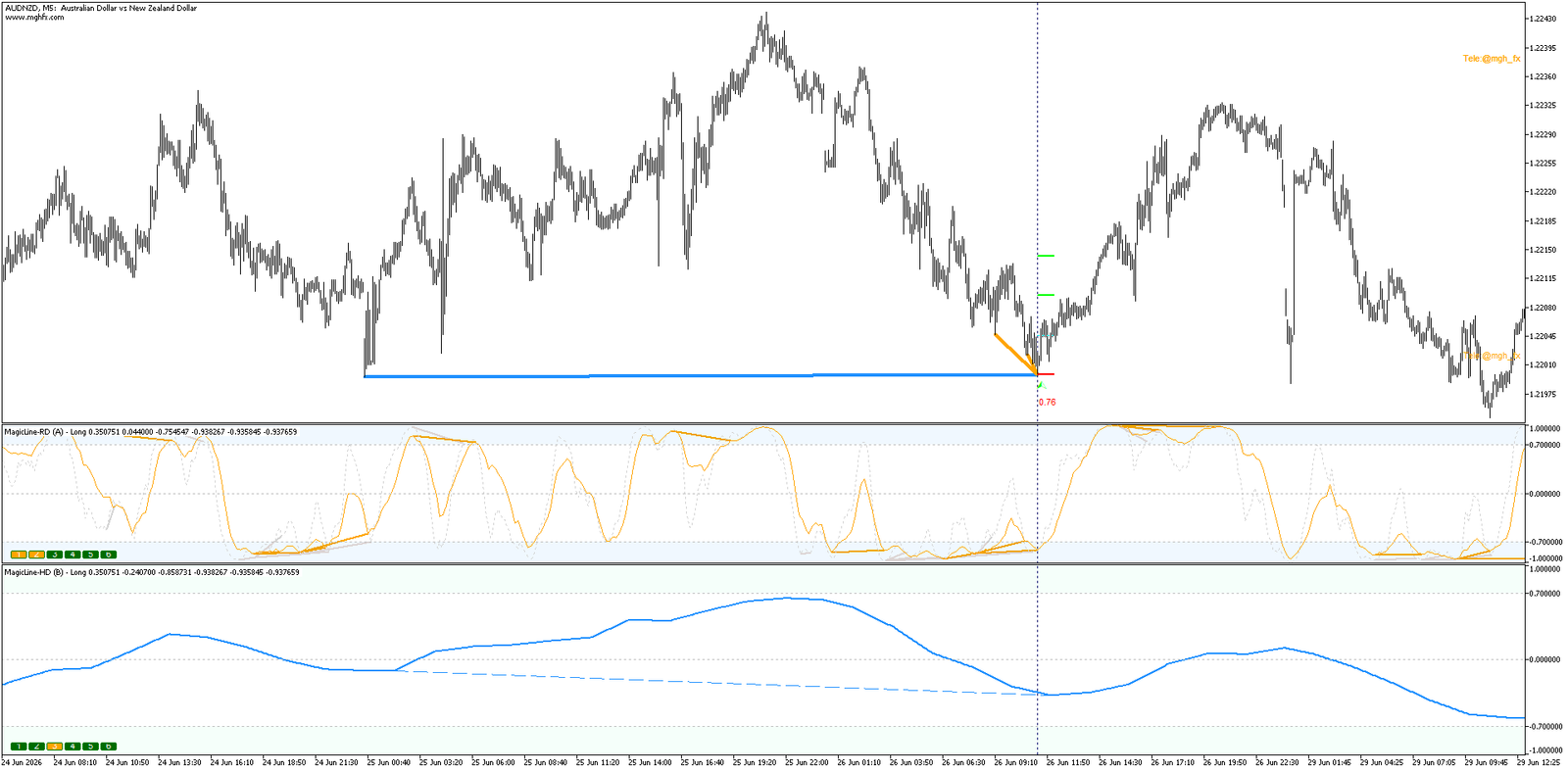
MagicTrigger’s entire engine is built around two linked concepts — a higher-timeframe structural divergence (HD), and the lower-timeframe divergences (RD) that confirm it. Think of HD as the “why” and RD as the “when.”
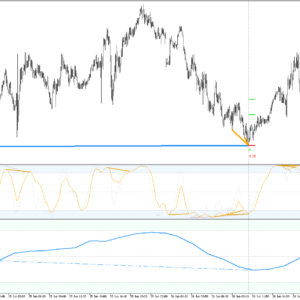
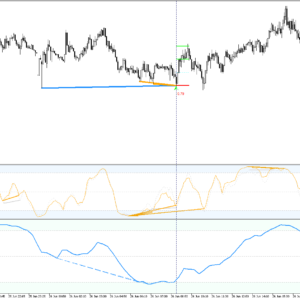
HD — The StructureOn the higher timeframes of the scan chain, MagicTrigger looks for a divergence between price swing points and a smoothed oscillator line. This defines the zone and the direction — buy or sell — that the rest of the engine will focus on.
RD — The ConfirmationInside the exact time and price zone defined by that HD structure, MagicTrigger checks the lower timeframes for the same directional divergence. Each timeframe that confirms adds weight to the setup.
A signal is only drawn once the minimum number of lower timeframes you require has confirmed the higher timeframe structure. That single rule is what separates MagicTrigger from a simple divergence scanner — it isn’t just detecting divergence, it’s demanding agreement across scales before it asks for your attention.
Why Single-Timeframe Divergence Keeps Failing You
- Divergence on one timeframe alone gives no indication of how significant the underlying structure actually is — every signal looks the same on the chart, strong or weak.
- Manually cross-checking three, four, or five timeframes for the same setup is slow, error-prone, and impossible to do consistently in a fast market.
- Most divergence tools give you an entry arrow and nothing else — no stop loss logic, no target structure, no position sizing.
- Isolated divergence signals fire constantly, drowning out the rare setups where multiple timeframes actually line up.
- Without a return/reversal candle filter, many signals appear a bar or two too early, only for price to keep moving against the setup.
MGH-MagicTrigger was built to close every one of these gaps. The scan chain checks every timeframe automatically. The confirmation count is enforced before a signal is ever drawn. Every signal comes with a full trade plan attached. And the optional return-candle filter gives you the choice between speed and confirmation.
Core Features
🔗
Automatic Multi-Timeframe Chain
Built automatically from the timeframe of the chart it’s attached to — the same logic adapts to whichever timeframe you load, from M1 scalping charts to Daily swing analysis.
🎯
Configurable Confirmation Threshold
The Min TF Count With RD input sets exactly how many lower timeframes must agree before a signal is accepted. Turn it up for rare, high-conviction setups, or down for more frequent signals.
📏
Independent Divergence Range Controls
HD Divergence Range and RD Divergence Range let you separately tune how far apart the swing points in each layer may be — tight for precision, wide for reach.
🕯️
Optional Return Candle Filter
Require a confirming reversal candle on the higher timeframe before a signal is accepted — trading a little speed for a cleaner, more deliberate entry.
📐
Full Trade Plan, Drawn Automatically
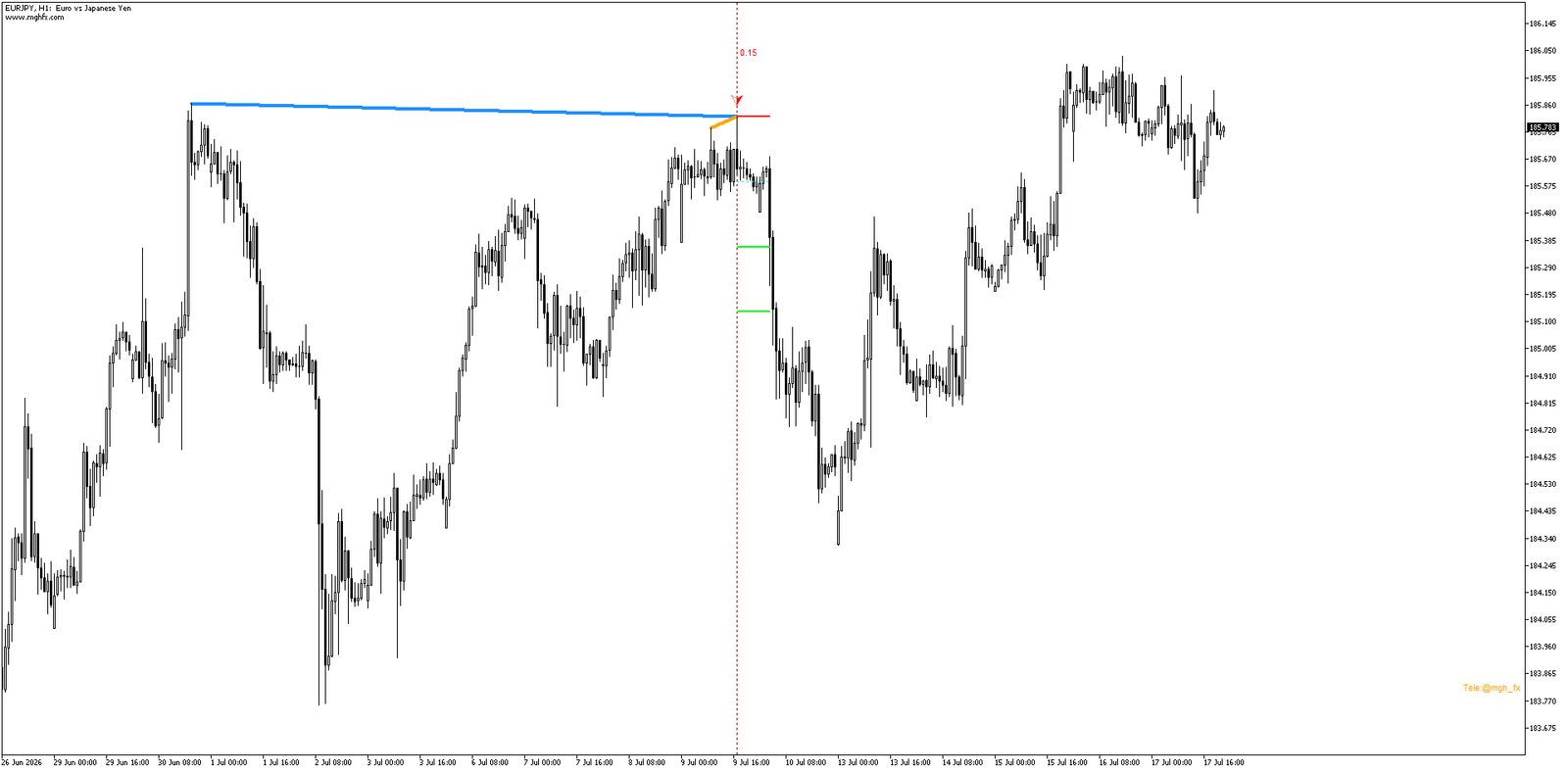
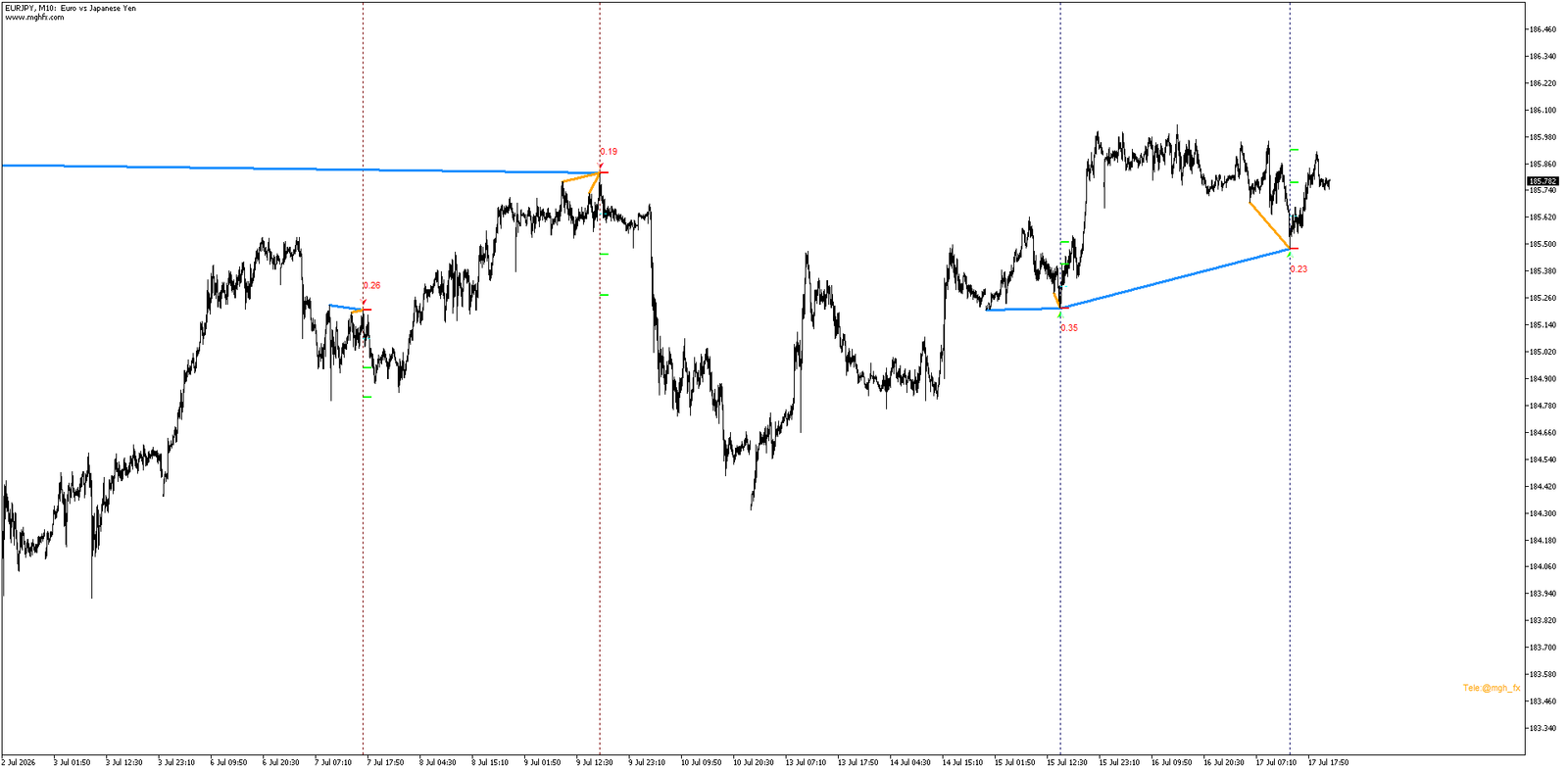
Every confirmed signal comes with an entry trigger line, a stop loss (near or far swing — your choice), and two target levels, all drawn directly on the chart.
💰
Built-In Position Sizing
Set your risk percentage once. MagicTrigger calculates the suggested lot size from your account balance and the exact stop distance of each setup.
See the Reasoning, Not Just the Arrow
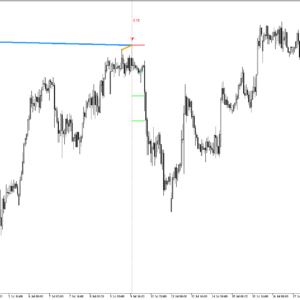
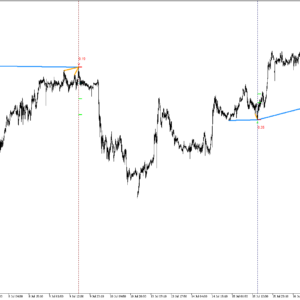
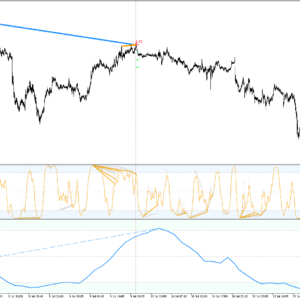
Every HD and RD divergence is drawn directly on the chart as a trendline connecting the exact swing points the engine used. You’re never asked to trust a signal blindly — the structure behind every arrow is visible, in the color and style you choose, on every timeframe that contributed to it.
From Signal to Trade Plan — Automatically
A confirmed signal is only the beginning. MagicTrigger immediately maps out the rest of the trade:
- Entry Trigger — a clear, visible line marking the suggested entry price.
- Stop Loss — placed on the near or far swing point of the HD structure, based on your SL Type setting.
- Two Target Levels — calculated as multiples of the stop distance from the entry trigger.
- Suggested Position Size — calculated from your account balance, your chosen risk percentage, and the exact stop distance of the setup.
No spreadsheet, no manual pip counting, no separate risk calculator. The moment a setup is confirmed, the numbers are already on your chart.
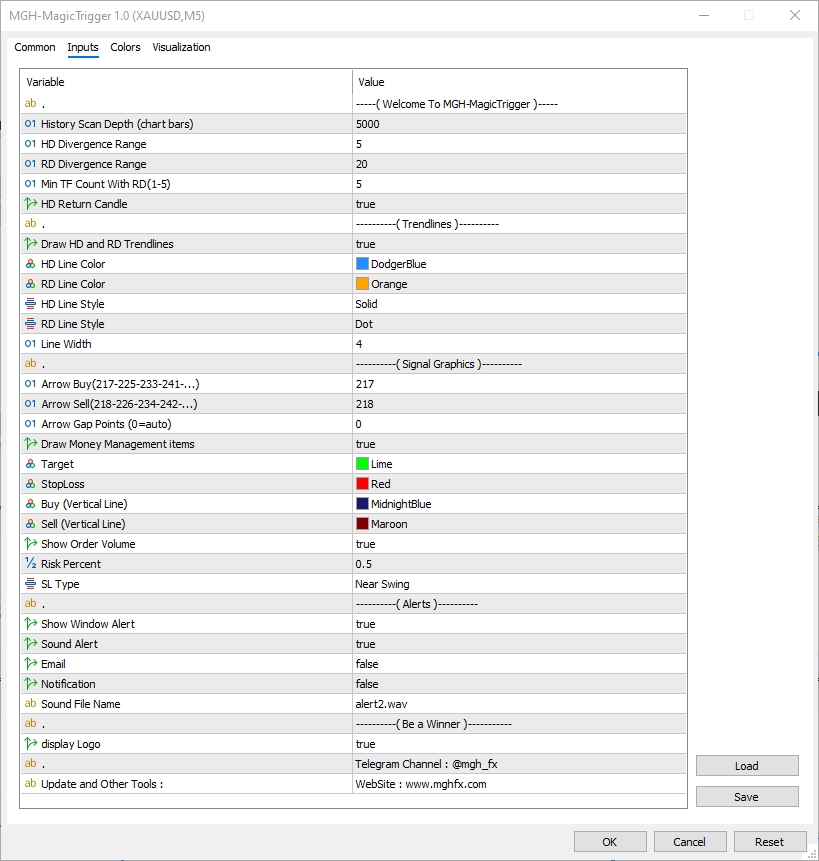
Settings Reference
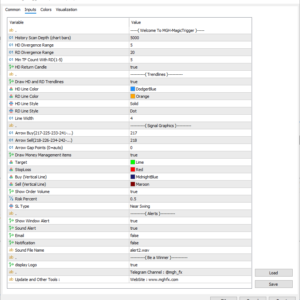
| Input | Description |
|---|---|
| History Scan Depth | Number of bars analyzed when the indicator is first loaded on the chart. |
| HD Divergence Range | Maximum distance between swing points used in the higher-timeframe divergence. Narrower = fewer, cleaner signals. Wider = more history searched. |
| RD Divergence Range | Same concept as HD Divergence Range, applied to the lower-timeframe confirmations. |
| Min TF Count With RD | Minimum number of lower timeframes that must confirm the higher-timeframe divergence before a signal is drawn. |
| HD Return Candle | Requires a confirming reversal candle on the higher timeframe before accepting a signal. |
| Draw HD and RD Trendlines | Toggles the trendlines that visually mark the divergence structure on the chart. |
| HD / RD Line Color & Style | Independent color and line style for the higher- and lower-timeframe trendlines. |
| Arrow Buy / Arrow Sell | Wingdings character codes for the buy and sell signal arrows. |
| Draw Money Management Items | Toggles the entry trigger, stop loss, and target lines for each signal. |
| SL Type | Places the stop loss on the near swing (tighter) or far swing (more conservative) point. |
| Risk Percent | Percentage of account balance risked per suggested trade — drives the automatic lot size calculation. |
| Show Order Volume | Displays the suggested lot size as a label next to each signal. |
| Alerts (Window / Sound / Email / Push) | Independently configurable delivery methods for every new signal. |
Practical Use Cases
- Swing entries with structural confidence: Use a Daily HD divergence confirmed by H4 and H1 RD divergence to catch swing reversals with real multi-timeframe backing, not a single noisy signal.
- Intraday precision entries: Run an H1 HD structure confirmed by M15 and M5 RD divergence to time entries into a higher-timeframe zone with much tighter precision than the H1 chart alone would allow.
- Filtering out low-conviction setups: Raise Min TF Count With RD so only the setups where three or more timeframes agree ever reach your chart — ignore the rest without lifting a finger.
- Building a rule-based routine: Combine the automatic entry, stop, and target lines with your own trade journal to build a consistent, repeatable process around every signal.
- Monitoring multiple pairs at once: Attach MagicTrigger to several charts with alerts enabled, and let it call you the moment a confirmed multi-timeframe setup appears on any of them.
Alert System
Window AlertPop-up alert the moment a signal is confirmed.
Sound AlertCustom .wav sound for every new signal.
Email AlertFull signal details sent directly to your inbox.
Push NotificationInstant alert to your MetaTrader mobile app.
Every method can be enabled independently, or all at once. Step away from the screen — MagicTrigger keeps watching the full timeframe chain and calls you back the moment a confirmed setup forms.
Who Is This For?
Divergence TradersStop guessing which divergence signals matter — let multi-timeframe agreement do the filtering for you.
Multi-TF AnalystsSee exactly how structure aligns across your entire timeframe chain from a single chart.
Risk-Focused TradersGet entry, stop, target, and position size together — every setup, every time.
Busy TradersSet your alerts, walk away, and come back only when a confirmed setup is waiting.
Up and Running in Under Two Minutes
- Attach MagicTrigger to any chart and timeframe in MetaTrader 4 or MetaTrader 5.
- Set your Min TF Count With RD based on how selective you want your signals to be.
- Adjust HD and RD Divergence Range to match your instrument and trading style.
- Choose your SL Type and Risk Percent so the automatic trade plan matches your risk profile.
- Enable your preferred alert methods — popup, sound, email, or push.
- Click OK, and let MagicTrigger watch the full timeframe chain while you focus on execution.
Two Ways to Trade It
MagicTrigger adapts to both fast and patient trading styles, depending on how you configure the confirmation threshold and return candle filter.
SELECTIVERaise Min TF Count With RD and enable HD Return Candle for rare, high-conviction setups with maximum structural agreement — fewer signals, higher scrutiny.
RESPONSIVELower the confirmation threshold and disable the return candle filter for earlier, more frequent signals — useful for active monitoring across several pairs.
Questions about the settings or how to fit MagicTrigger into your own strategy? Message me directly — I read and respond to every message personally.
Stop Trading Divergence in Isolation
Download the free demo, attach MagicTrigger to a pair you already trade, and watch how differently a divergence signal looks once it’s been confirmed across timeframes instead of guessed at on just one.
MagicTrigger is a technical analysis tool. Past patterns and test results do not guarantee future outcomes. Always test on a demo account before live use.


Reviews
There are no reviews yet.