Introduction: More Tools, Better Trading?
Open any MetaTrader chart and you’ll find dozens of indicators already installed — moving averages, RSI, MACD, Bollinger Bands, and more. These are called built-in indicators, and they form the backbone of most retail traders’ analysis. But spend any time in trading communities and you’ll quickly hear about custom indicators — tools built by developers that go beyond what the platform ships with by default.
So what’s actually the difference? And more importantly, which type should you be using? This guide breaks it down clearly so you can make an informed choice for your own trading approach.
What Are Built-In Indicators?
Built-in indicators — sometimes called standard or native indicators — come pre-installed on trading platforms like MetaTrader 4 and MetaTrader 5. They are developed and maintained by the platform provider, and every user gets access to the same set without needing to download or install anything extra.
Common examples include:
- Trend indicators: Moving Averages (SMA, EMA, WMA), Parabolic SAR, Ichimoku Kinko Hyo
- Momentum oscillators: RSI, MACD, Stochastic Oscillator, CCI
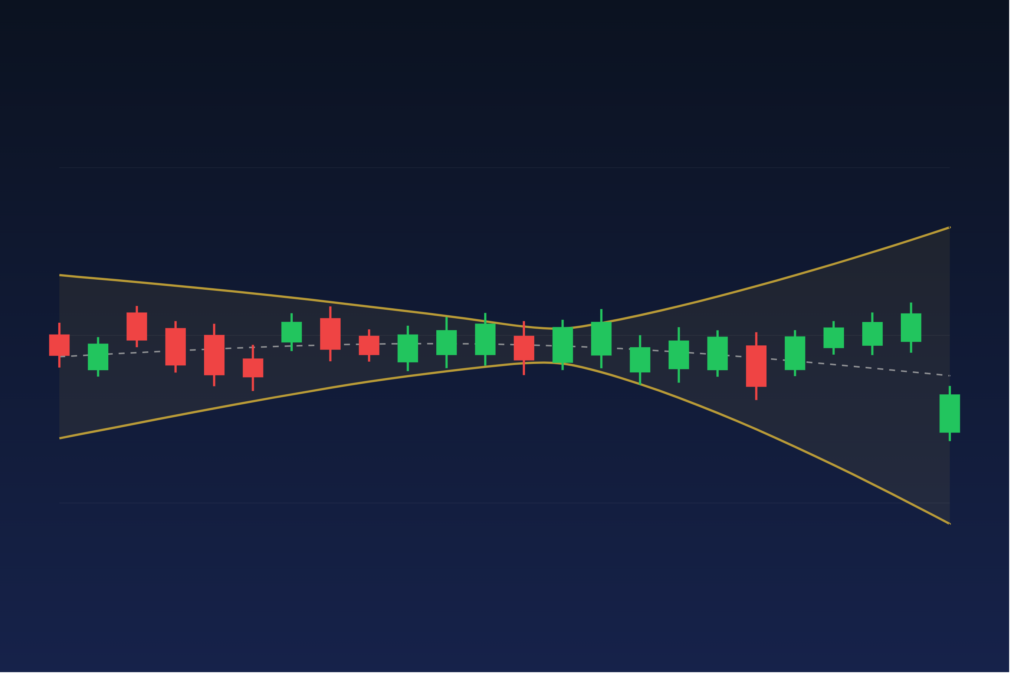
- Volatility tools: Bollinger Bands, ATR, Standard Deviation
- Volume indicators: On-Balance Volume (OBV), Volumes
These tools have stood the test of time. They are well-documented, widely understood, and work consistently across all asset classes and timeframes. If you are building a trend-following strategy or exploring oscillators like the Stochastic Oscillator, built-in tools are often a perfectly adequate starting point.
Strengths of Built-In Indicators
- Zero setup required — available the moment you open the platform
- Universal knowledge base — tutorials, books, and courses all reference them
- Reliable and bug-free — maintained by the platform developer
- Easy to backtest — platform strategy testers are optimized for them
Limitations of Built-In Indicators
The core weakness of built-in indicators is that they are designed to be universal — which means they are not optimized for any single trader’s specific approach. Every input, calculation, and visual display is fixed by the developer. You can adjust parameters like period length or applied price, but you cannot change the underlying logic. If your strategy needs something the standard library doesn’t offer, a built-in tool simply won’t get you there.
What Are Custom Indicators?
Custom indicators are tools coded by independent developers — or by traders themselves — using the platform’s scripting language (MQL4 for MetaTrader 4, MQL5 for MetaTrader 5). They are distributed as files that users download and install manually onto their platform.
Custom indicators can do virtually anything a programmer can code. Some replicate classic indicators with enhancements (such as adding alerts or multi-timeframe calculations), while others implement entirely original logic that has no equivalent in the standard library.
Examples of what custom indicators can do that built-in ones typically cannot:
- Display signals from multiple combined conditions as a single, clear visual cue (e.g., arrow or dot on chart)
- Plot data from a higher timeframe directly on a lower-timeframe chart
- Calculate proprietary volatility or momentum formulas developed by the indicator’s author
- Send push notifications or email alerts when specific market conditions are met
- Show statistical overlays like session ranges, volume profiles, or market structure levels
If you need to get a custom indicator onto your charts, the process is straightforward — see the step-by-step guides for installing custom indicators on MT4 and installing custom indicators on MT5.
Strengths of Custom Indicators
- Unlimited flexibility — any logic that can be coded can be plotted
- Unique edge — proprietary tools not available to every market participant
- Better integration — can be designed specifically to match your strategy’s rules
- Advanced alerting — real-time notifications built into the indicator’s logic
Limitations of Custom Indicators
- Quality varies widely — anyone can publish a custom indicator, and not all are reliable or well-coded
- Requires vetting — you need to test any custom tool on a demo account before trusting it with real trades
- Potential for overfitting — indicators optimized too heavily for past data may perform poorly going forward
- Installation required — adds a small friction step compared to built-in tools
Choosing the Right Tool for Your Strategy
The choice between custom and built-in indicators isn’t about which category is “better” — it’s about what your strategy actually needs.
Stick with built-in indicators if:
- You are still learning technical analysis and want to build on well-documented concepts
- Your strategy is based on classic, widely-understood logic (e.g., moving average crossovers, RSI divergence)
- You want maximum reliability and zero maintenance overhead
Consider custom indicators if:
- Your strategy requires logic that no standard tool can express
- You want to condense a multi-step manual checklist into a single visual signal
- You trade fast-moving environments like scalping and need precision-built alerting
- You are ready to incorporate multi-timeframe analysis into a single indicator view
It’s also worth noting that custom indicators and built-in ones are not mutually exclusive. Most experienced traders use a combination — relying on one or two well-known standard tools for context alongside a custom indicator that delivers their specific entry signal.
If you find an indicator approach that works consistently, the next logical step is automation. Turning indicator-based logic into an Expert Advisor is entirely achievable — and our guide on converting a strategy into an EA walks through exactly how that process works.
A Note on Sourcing Custom Indicators
Because custom indicators vary so much in quality, sourcing matters. The MetaTrader Marketplace, reputable trading forums, and established vendors with documented track records are far safer starting points than random downloads from unverified sites. MGH Products offers a range of MetaTrader indicators and Expert Advisors at mghfx.com — each built with a clear trading purpose rather than just chart decoration.
Whatever source you choose, always test any new indicator on a demo account first, check its logic against your strategy rules, and validate its signals over a meaningful sample of historical conditions before trading live.
Conclusion
Built-in indicators offer reliability, familiarity, and zero friction — they’re the right starting point for most traders. Custom indicators offer flexibility and specificity — they become valuable once you know exactly what your strategy needs and a standard tool can’t deliver it. Understanding this distinction helps you keep your charts focused, purposeful, and clutter-free rather than loaded with tools you don’t fully understand.
This article is for educational purposes only and does not constitute financial or investment advice. Trading forex and CFDs carries significant risk. Always conduct your own research before making any trading decisions.
Photo by Arturo Añez on Unsplash