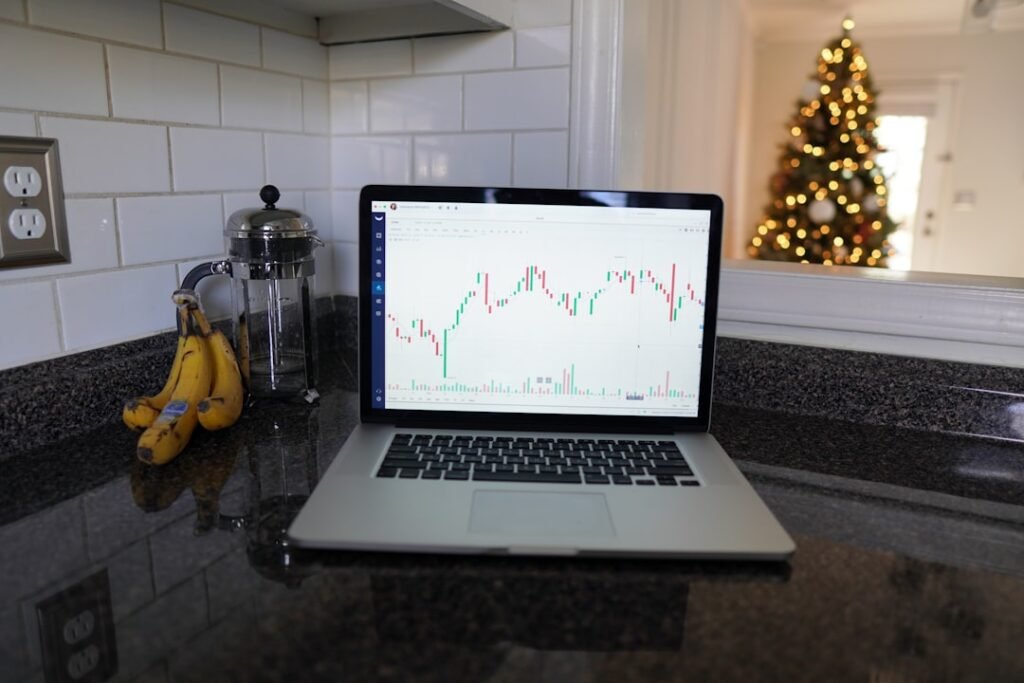
Choosing the right trading platform is one of the most foundational decisions a forex trader makes. Two names consistently rise to the top of that conversation: MetaTrader (MT4 and MT5) and cTrader. Both are capable, well-established platforms — but they serve different trader profiles in meaningful ways. Understanding their core differences helps you make a deliberate choice rather than simply defaulting to whatever your broker offers first.
Platform Origins and Ecosystem
MetaTrader was developed by MetaQuotes Software and has existed in its MT4 form since 2005, with MT5 following in 2010. Its longevity is one of its greatest strengths. Over two decades, an enormous ecosystem has grown around it: thousands of custom indicators, Expert Advisors (EAs), scripts, and a vibrant community of developers and traders. MetaTrader 4 remains the single most widely deployed retail forex platform in the world, supported by the vast majority of retail brokers globally.
cTrader was developed by Spotware Systems and launched around 2011, positioned explicitly as a more transparent, institutional-grade alternative. Its broker adoption is smaller but growing, and it has attracted a loyal following — particularly among traders who prioritize execution transparency and a modern interface.
Charting, Interface, and User Experience
MetaTrader
MetaTrader’s interface is functional but dated by modern standards, especially MT4. Traders who have used it for years navigate it intuitively, but newcomers often find the layout unintuitive at first. MT5 improved the interface considerably and introduced more asset classes, additional order types, and an economic calendar built in. Charting is solid, with a wide range of built-in indicators and the ability to overlay custom ones. However, the visual design remains utilitarian rather than polished.
cTrader
cTrader was built with user experience in mind from the ground up. Its charting interface feels cleaner and more modern, with smooth rendering, intuitive layout customization, and a more accessible design for traders coming from web-based or modern desktop applications. Features like detachable charts, quick trade buttons directly on the chart, and a streamlined order panel make cTrader feel more fluid during active trading sessions. For newer traders, cTrader’s learning curve tends to be gentler from a pure interface standpoint.
Order Execution and Transparency
This is arguably where the two platforms diverge most significantly in philosophy.
MetaTrader supports both market maker (dealing desk) and ECN/STP broker models, but the platform itself does not inherently expose execution details in depth. Slippage, requotes, and fill quality can vary significantly depending on the broker, and the platform doesn’t make those mechanics highly visible by default.
cTrader was designed with ECN transparency as a core principle. It displays detailed execution statistics — fill quality, slippage history, and latency metrics — directly within the platform. This makes it especially appealing to traders who want to audit their broker’s execution quality rigorously. The platform also offers Level II pricing (market depth) natively, which MetaTrader typically requires third-party plugins or broker add-ons to replicate.
Automation and Custom Development
MetaTrader’s MQL Ecosystem
MetaTrader’s automation capabilities are built on MQL4 (for MT4) and MQL5 (for MT5), proprietary scripting languages that are syntactically similar to C++. The MetaTrader marketplace and community forums contain an extraordinary volume of free and commercial tools — indicators, EAs, and utility scripts covering virtually every trading concept imaginable. If you want to automate a strategy, chances are someone has already built something similar that you can study or build upon.
MT5 in particular introduced a multi-threaded architecture and more sophisticated backtesting capabilities, including multi-currency and multi-timeframe testing, which are significant advantages for serious algorithmic traders.
cTrader’s cAlgo
cTrader’s automation environment, called cAlgo, uses C# — a mainstream, widely-taught programming language. For traders who already have software development backgrounds or who want to leverage the broader .NET ecosystem, this is a genuine advantage. The learning resources for C# are vastly more extensive than for MQL, and the language itself is more modern and versatile. cTrader’s backtesting engine is also strong, with tick data testing and visual replay modes built in.
That said, the community library for cAlgo remains considerably smaller than MetaTrader’s MQL marketplace, simply because of the platform’s younger age and smaller user base. If off-the-shelf tools and a large support community matter to you, MetaTrader still holds the edge.
Broker Availability and Practical Considerations
MetaTrader’s broker compatibility is unmatched. Nearly every retail forex broker supports MT4, MT5, or both. This means that switching brokers while staying on MetaTrader is straightforward — your charts, indicators, and EAs travel with you. cTrader, while supported by a meaningful number of reputable brokers, gives you fewer choices. Before committing deeply to either platform, it is worth confirming which brokers in your region support it, particularly if you have specific requirements around regulation, spreads, or account types.
For traders interested in taking their MetaTrader setup further with purpose-built indicators and Expert Advisors, MGH Products at mghfx.com offers a range of tools designed specifically for MT4 and MT5 that can complement any systematic trading approach.
Which Platform Is Right for You?
- Choose MetaTrader if you want maximum broker choice, the largest ecosystem of ready-made tools, and robust automation through MQL.
- Choose cTrader if you prioritize a modern interface, execution transparency, and are comfortable (or eager) to work with C# for automation.
- Consider using both if your broker supports it — many serious traders maintain familiarity with MetaTrader while exploring cTrader’s analytical and execution tools as a complement.
Ultimately, the best platform is the one you understand deeply and use consistently. A solid strategy executed well on either platform will outperform a brilliant strategy poorly managed on the “wrong” one. Spend time in demo environments on both, evaluate what your broker supports, and let your workflow requirements guide the decision.
Disclaimer: This article is for educational purposes only and does not constitute financial or investment advice. Trading forex and CFDs carries significant risk. Always conduct your own research and consult a qualified financial professional before making trading decisions.
Photo by Arturo Añez on Unsplash